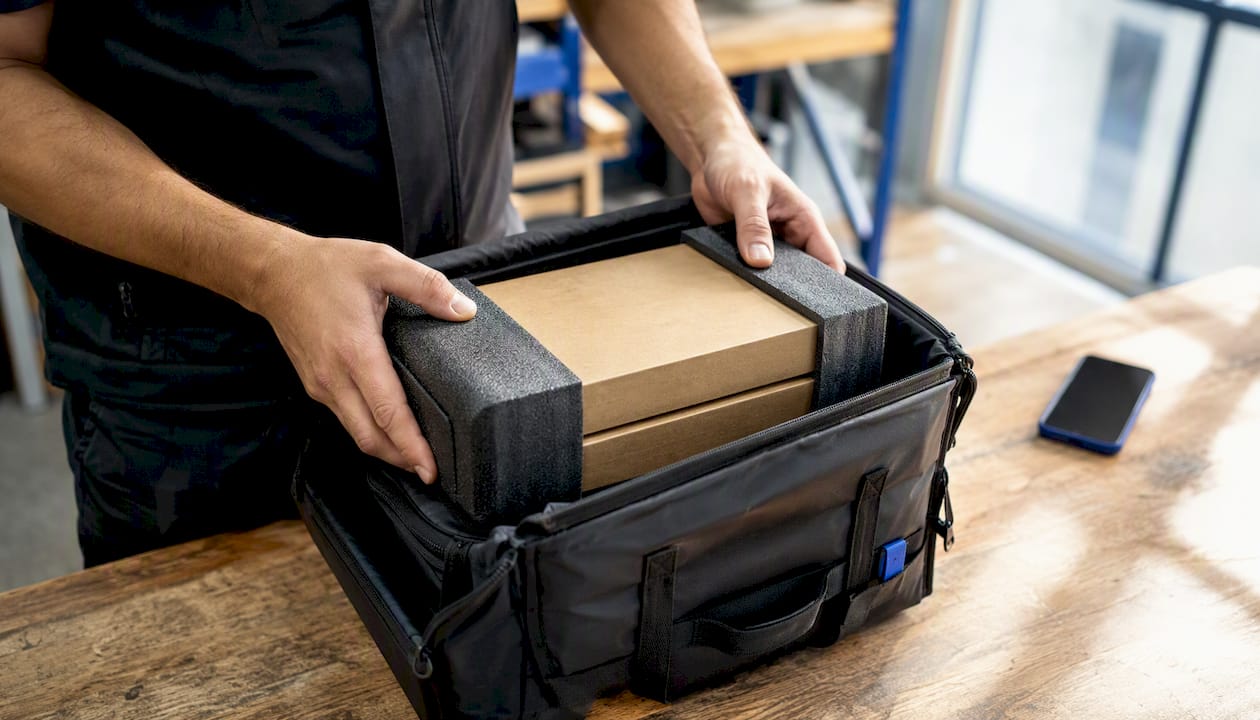
You can schedule a courier pickup online, through a carrier app, or by phone in minutes. The three fastest methods are: using a carrier’s website or app (USPS, UPS, FedEx, or DHL), calling carrier support for urgent same-day requests, or booking through an on-demand local courier app for immediate local runs.
To complete any booking, have these details ready:
- Pickup address and contact phone number
- Package count and estimated total weight
- Service level (ground, express, or same-day)
- Payment method and any existing shipping labels
For same-day delivery, major carriers rarely guarantee it through standard pickup scheduling. On-demand local couriers are the faster, more reliable path for urgent local runs.
Key Takeaways
Scheduling a courier pickup is fast and reliable when you book before the daily cut-off, choose the right service level, and prepare your packages and access details in advance.
| Point |
Details |
| Book before cut-off |
Requests after early-afternoon cut-off shift to the next business day automatically. |
| Free vs. paid pickup |
USPS offers free pickup during regular delivery; on-demand and specific-window pickups carry fees across all carriers. |
| Scheduling ≠ delivery guarantee |
A pickup confirmation is a collection attempt; only express service levels include a money-back delivery guarantee. |
| Prevent failed pickups |
Attach labels, provide access instructions, and keep your contact number reachable during the pickup window. |
| Urgent local runs |
Getitpicked offers same-day on-demand pickup in Nova Scotia with real-time tracking and proof of delivery. |
Table of Contents
How do you schedule a courier pickup step by step?
Booking a pickup follows the same core sequence across most carriers and aggregator platforms.
- Gather your shipment details. Confirm the pickup address, contact number, package dimensions and weight, and your preferred service level. If you already have a shipping label, attach it before the driver arrives.
- Choose your booking channel. Log in to your carrier account or proceed as a guest on the carrier website. The UPS pickup scheduler supports both options and walks you through Label & Location, Date & Time, Pay & Review, and Confirmation in four steps.
- Select your date, time window, and service level. Confirm the pickup window shown on screen. Complete payment if the service requires it. For label-less pickups, note the carrier’s specific drop-off or handoff instructions.
- Place packages correctly. Attach labels securely or confirm label-less procedures with the carrier. Leave packages in an accessible location with clear access notes, especially for gated or multi-unit addresses.
Pro Tip: Book before the carrier’s daily cut-off, which is often early afternoon. Requests submitted after cut-off shift automatically to the next business day.
How do major U.S. carriers handle pickups?
Each carrier has its own rules for scheduling, fees, and what it will and doesn’t accept at the door.
USPS
- Schedule: USPS schedule pickup tool online; no account required for one-time pickups.
- Cost: Free during regular mail delivery for eligible packages; paid “Pickup On Demand” available for a specific time window.
- Label requirement: Labels required before pickup.
- Restrictions: Pickup eligibility depends on address type; not all residential addresses qualify for every service level.
UPS
- Schedule: Online scheduler or UPS app; supports one-time and recurring pickups.
- Cost: On-demand pickups carry a fee; regular scheduled pickups tied to an account may reduce per-pickup costs.
- Label requirement: Can schedule with or without a label; the scheduler collects package count and total weight.
- Restrictions: Residential pickup fees apply; hazardous materials require advance notice.
FedEx
- Schedule: FedEx website or mobile app; account holders access additional scheduling options.
- Cost: On-demand pickup fees vary by service level and address type.
- Label requirement: Labels required at pickup.
- Restrictions: Size and weight limits apply per service; dangerous goods require separate documentation.
DHL Express
- Schedule: MyDHL+ supports guest booking and account-based scheduling; account holders access preferred rates.
- Cost: Fees vary by service level; account holders typically pay less per pickup.
- Label requirement: Labels and customs paperwork managed through MyDHL+.
- Restrictions: Couriers cannot accept cash, checks, or money orders at pickup; all payments are completed digitally during booking.
| Dimension |
USPS |
UPS |
FedEx |
DHL Express |
| How to schedule |
Website, no account needed |
Website, app, phone |
Website, app |
MyDHL+, guest or account |
| Pickup fee |
Free (standard) or paid (on-demand) |
Fee for on-demand |
Fee varies by service |
Fee varies; account discounts |
| Cut-off / window |
Early afternoon; ~2-hour window |
Early afternoon |
Early afternoon |
Early afternoon |
| Service levels |
Priority Mail, Express, Ground |
Ground, Air, Express |
Ground, Express, Overnight |
Express, International |
| Proof of pickup |
Tracking activation on scan |
Pickup receipt + tracking |
Tracking activation |
Tracking + customs confirmation |
| Key restrictions |
Address eligibility check required |
Residential fee applies |
Dangerous goods need docs |
No cash at door; digital payment only |
Businesses shipping regularly should set up an account with their primary carrier. Recurring pickup tools and account-based scheduling reduce per-pickup fees and administrative work, though you should confirm address eligibility on the carrier portal before activating a recurring schedule.
What does it cost to schedule a courier pickup?
Pickup fees depend on the carrier, service level, and how you book.
USPS offers free pickup during regular mail delivery for eligible packages. Its paid “Pickup On Demand” service lets you choose a specific time window for a fee. Eligibility depends on your address and the mail classes you’re shipping.
UPS and FedEx charge for on-demand pickups, particularly when you request a specific time or a residential collection. Routine pickups tied to a business account often cost less per stop. DHL Express handles all payment digitally during the booking flow; no fees are collected at the door.
Key cost drivers to watch:
- Same-day or on-demand premium for specific time windows
- Residential pickup surcharges vs. commercial address rates
- Missed-pickup rebook fees if a driver cannot access your location
- Account discounts for regular shippers with high volume
Pro Tip: When eligible, choose “pickup during regular delivery” instead of on-demand. It’s free for most USPS-eligible mail classes and saves the on-demand fee without sacrificing reliability.
What should you prepare before the pickup arrives?
A failed pickup almost always comes down to one of three things: inaccessible location, missing label, or a prohibited item the driver cannot accept.
Checklist before the driver arrives:
- Package securely sealed with no loose flaps or exposed contents
- Correct label attached and clearly visible on the largest face of the box
- Declared value or insurance selected during booking if the shipment has significant value
- Contact phone number active and reachable during the pickup window
- Gate codes, unit numbers, or building access instructions included in the booking notes
Common rejection causes:
- Overweight or oversized packages that exceed the booked service limits
- Hazardous materials without proper labeling or documentation
- Missing postage or an unattached label for label-required services
- Inaccessible pickup location (locked gate, no reception, no contact answer)
Providing a specific contact number and exact access instructions is the single most effective way to prevent a failed collection. Drivers operating on tight schedules cannot wait; a missed pickup means rebooking and a delay of at least one business day.
For fragile or hazardous shipments, standard scheduling may not be enough. Hazmat items require carrier-specific documentation and often a separate booking through the carrier’s dangerous goods desk. Fragile items need double-boxing and clear “Fragile” markings, though carriers do not guarantee handling beyond their standard service terms.
What do pickup windows and cut-off times actually guarantee?
Scheduling a pickup confirms a collection attempt. It does not guarantee delivery by a specific time unless the service level you booked includes that guarantee.
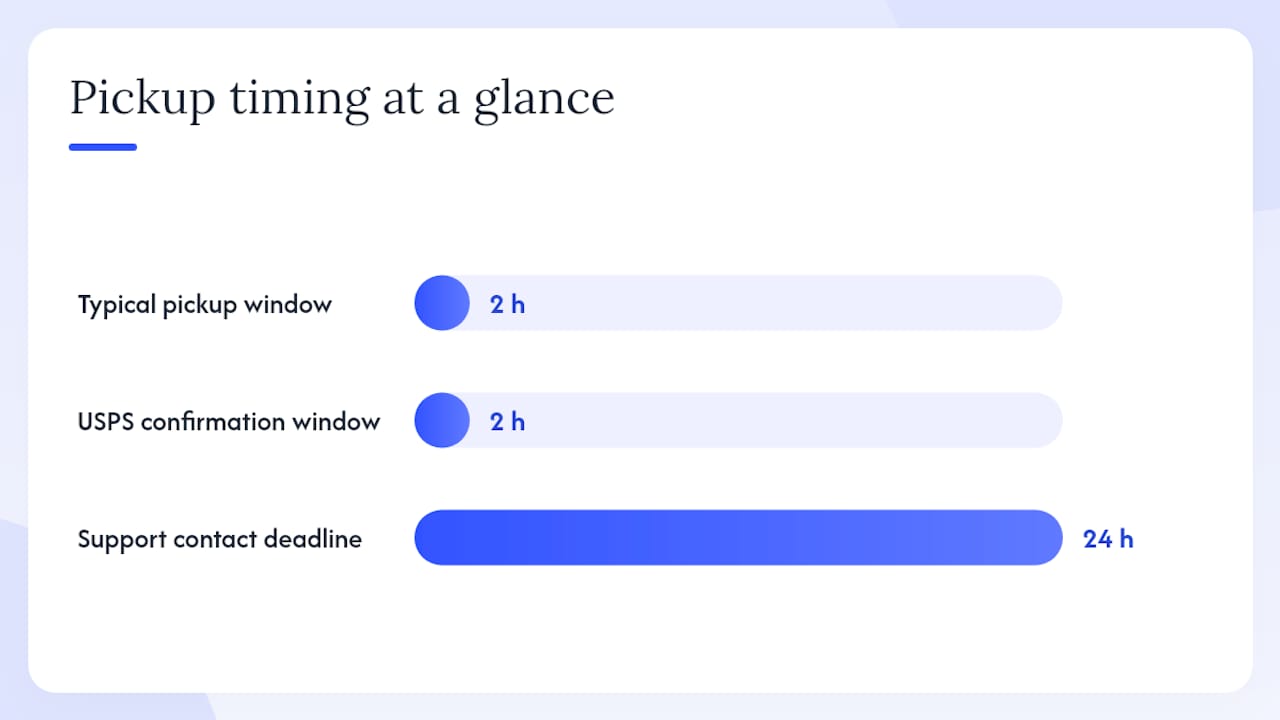
Most carriers operate on roughly 2-hour pickup windows. Book after the daily cut-off (typically early afternoon) and your pickup shifts to the next business day. USPS confirms that pickup times fall within two hours of the selected slot for eligible services.
Pro Tip: For time-sensitive or high-value shipments, book an express service that carries a money-back delivery guarantee. Confirm proof of pickup at collection so you have a timestamped record if a claim becomes necessary.
Steps to verify your pickup occurred:
- Check your confirmation email for a pickup ID or tracking number
- Monitor tracking activation: the first scan at pickup confirms collection
- Save the pickup receipt or driver confirmation if provided
- Contact carrier support within 24 hours if tracking shows no movement after the scheduled window
When should you use a major carrier vs. an on-demand local courier?
The right choice depends on destination, urgency, and package type.
Choose a major carrier when:
- Shipping internationally or across state lines
- The shipment requires insured express delivery with a money-back guarantee
- You need standardized customs documentation (DHL, FedEx, UPS international)
- Volume and recurring pickups justify an account-based rate
Choose an on-demand local courier when:
- You need same-day delivery within your city or region
- The item is odd-sized, fragile, or needs white-glove handling
- Speed matters more than the lowest per-package rate
- You want real-time tracking and direct driver communication
For businesses, the decision also involves integration. Major carriers offer API connections to shipping platforms for automated label generation and pickup scheduling. On-demand couriers typically offer faster response times and more flexible pickup windows for local runs, which matters when a client is waiting. See same-day business courier options for a practical comparison of what local on-demand service covers.
How do you change or cancel a scheduled pickup?
- Locate your confirmation email and note the pickup ID or tracking number.
- Log in to the carrier portal (or the third-party platform like DeftShip) and navigate to your scheduled pickups.
- Select the shipment and choose “Edit” or “Cancel.”
- Enter a new date and time window, or confirm cancellation.
- Check whether a rebooking fee applies, particularly for on-demand or paid pickup services.
If the carrier portal won’t accept changes, call carrier support directly and document the call with a reference number. Last-minute changes submitted close to the pickup window may result in a next-day reschedule rather than a same-day adjustment.
Lessons from running on-demand pickups at Getitpicked
The most common reason a pickup fails is not a carrier error. It’s an access problem the customer didn’t anticipate.
Same-day on-demand pickups work best when the driver has a direct contact number, a clear location description, and packages ready at the door. When those three things are in place, local runs complete on time. When even one is missing, delays follow.
Pro Tip: Label your packages before the driver arrives, not during the pickup window. Drivers on same-day runs cannot wait for last-minute prep. Have everything ready at the confirmed location at least 10 minutes before the window opens.
For urgent local pickups in Nova Scotia, Getitpicked’s same-day delivery service handles time-sensitive runs with real-time tracking and proof of pickup, covering everything from documents to auto parts.
Official carrier scheduling pages
Direct links to start a pickup with each major carrier:
- USPS Schedule a Pickup: verify address eligibility and choose free standard or paid on-demand pickup.
- UPS Pickup Scheduler: one-time or recurring pickups with or without a label; collects package count and weight.
- DHL Courier Pickup (U.S.): schedule via MyDHL+; guest booking available; all payments digital.
- Parcel Monkey: aggregator booking flow for comparing and scheduling pickups across multiple carriers.
When using an aggregator, confirm both the aggregator’s cut-off and the carrier’s cut-off. They don’t always match, and missing either one delays your pickup by a full business day.
The fastest path forward depends on what you’re shipping
For international or timed shipments, book directly with a major carrier and choose an express service level that includes a delivery guarantee. For urgent local delivery, an on-demand courier gets you faster pickup, real-time tracking, and same-day completion without the standard carrier scheduling window.
The next step is simple: open the scheduling page for your carrier above, or check Getitpicked’s same-day delivery service if your shipment needs to move today.
Getitpicked: same-day pickup without the wait
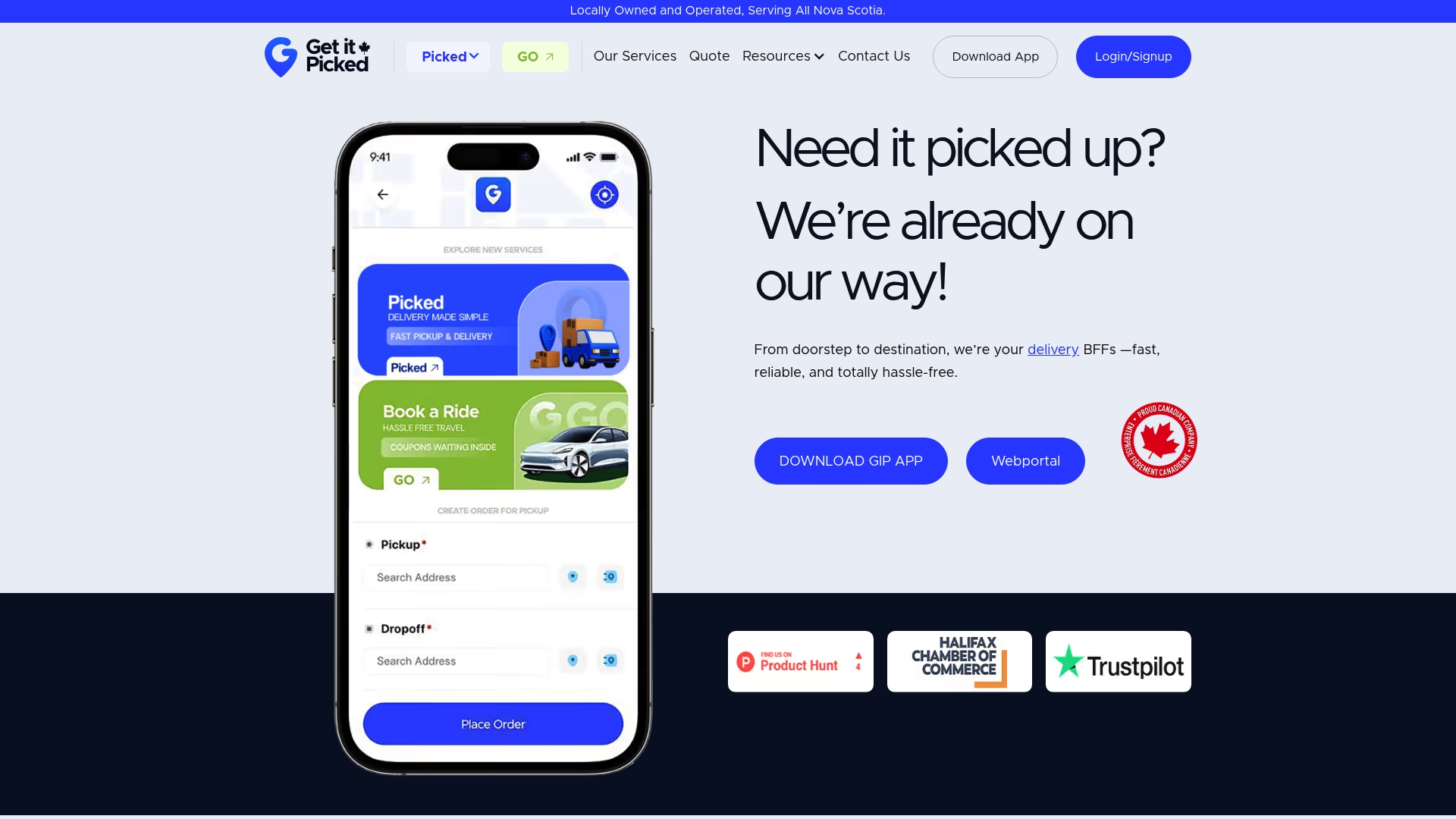
Major carrier pickups work well for standard and international shipments. But when a package needs to move today, within Nova Scotia, the standard scheduling window is too slow. Getitpicked is built for exactly that gap: on-demand same-day pickup and delivery via a mobile app, with real-time tracking, proof of pickup, and no waiting for a next-business-day window.
Individuals, law firms, pharmacies, and local businesses use Getitpicked when timing is non-negotiable. The app handles the booking in seconds, and drivers are dispatched immediately. For businesses with recurring needs, 3PL warehousing and fulfillment services are also available to pair pickups with storage and order fulfillment.
Book your first same-day pickup at Getitpicked.
Sources
Recommended
Article generated by BabyLoveGrowth